AiTiktok Studio · Edit mode
AI Pose Changer: Change the Pose in a Photo
Upload a picture of a person, choose a new pose, and AiTiktok Studio redraws the picture with the same person in that pose. Pick the pose from a list of 1,164 poses, or write it in your own words. It runs in the browser on a phone or a computer.
Before and after
The same person, redrawn in a new pose from one sentence.
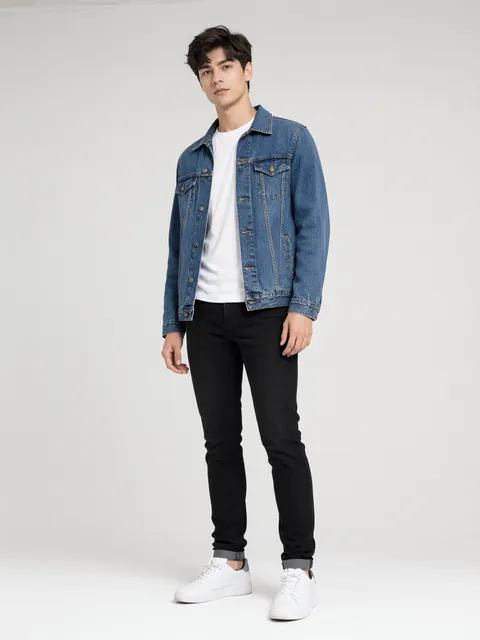
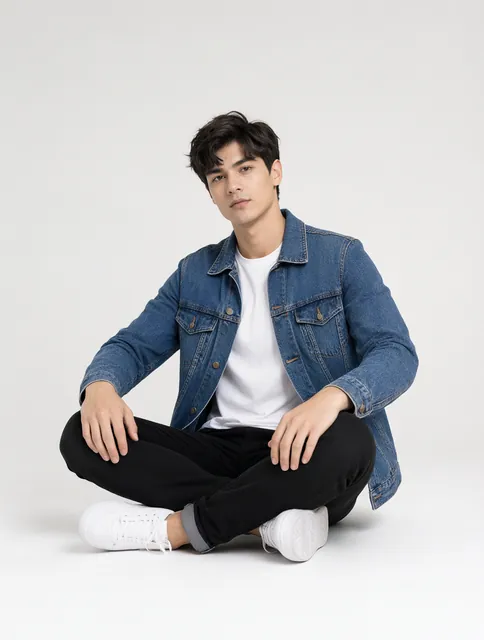
Poses you can pick
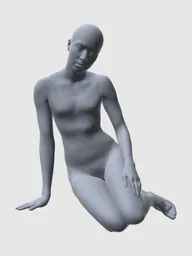
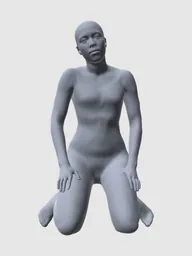
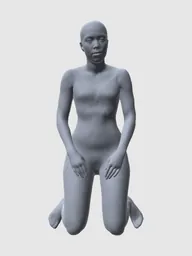
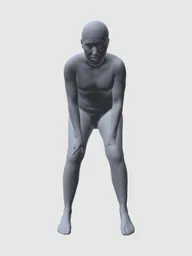
Some of the pose drawings you can choose from in Edit mode. Each drawing is the outline the new picture follows, from the front, the side or the back.
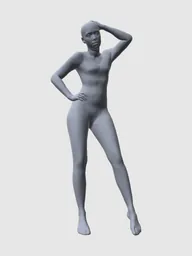
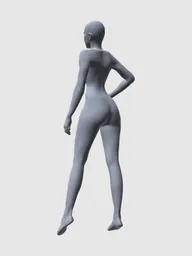
Two ways to set the pose
Pick it from the pose list. In Edit mode the Studio shows drawings of poses seen from the front, the side and the back. Choose one and the new picture follows it.
Or write it. Put the pose in your sentence, for example “sitting on the stairs, looking back over her shoulder” or “standing with arms crossed, seen from the side”. Say what should stay, such as the clothes and the place.
Change the pose in three steps
- Open the picture workspace and choose Edit. Edit works on a picture you already have.
- Upload the picture. A PNG, JPEG or WebP picture that you have the right to use, with the person clearly visible.
- Pick a pose or describe it, then create. Compare the result with your picture and try another pose if you want a different look.
Keep the same pose instead
In Edit mode you choose how the pose is handled: “Same pose”, “From my words” or “Pick a pose”. Choose “Same pose” when you only want to change the clothes, the colours or the background: the person stays as they stand. Choose one of the other two when the pose itself should change.
Pick or write: which is better?
The pose list is the quickest way when you want a standard stance and an exact angle: the drawing shows the outline that the new picture follows. Writing is better for an unusual pose, or when the pose depends on the scene, such as leaning on a wall, sitting on a chair that is already in the picture or holding an object.
How to write a pose
Go through the body from top to bottom: where the person looks, what the arms and hands do, how the legs are placed, and where the camera stands. Short, concrete phrases work better than long descriptions.
Some examples: “kneeling on one knee, one hand on the hip, looking at the camera”, “walking towards the camera with hands in the pockets”, “lying on the side, head resting on one hand”, “seen from behind, looking over the left shoulder”. When the result is close but not right, change one detail and create again instead of rewriting everything.
What people use it for
New angles of the same character for a TikTok series. Outfit and product pictures in several stances from one photo. A set of poses for a character in a story or a comic. The first picture of a video: once the pose is right, the picture can start a clip with image to video.
What works well
One clearly visible person gives the most predictable result. For a full-body pose, start from a picture that shows the whole body. The picture is redrawn, so the face, the clothes and the place are carried over as closely as possible, but small details can change. Look at the whole picture before you download or publish it.
Questions and answers
Is the AI pose changer free?
Editing pictures is free to try for signed-in accounts, and no card is needed.
Does the face stay the same?
The picture is redrawn, so the person is kept as closely as possible, but small details can change. Check the result before you use it.
Can I use my own photo?
Yes. Upload a PNG, JPEG or WebP picture that you have the right to use.
How many poses are there?
1,164, drawn from several angles.
Can I keep the pose and change something else?
Yes. Choose “Same pose” and describe the change you want.
Related tools
Change clothes, objects or the background with the AI photo editor, or make a new picture with the AI image generator. To put a character into a video, see AI Character Swap or turn a picture into a clip with image to video.