AiTiktok Studio · Video
Image to Video AI: Turn a Picture into a Video
Start a video from your own picture. Upload it as the first picture, write what should happen, and AiTiktok Studio makes a short video with sound that begins on your picture.
Before and after
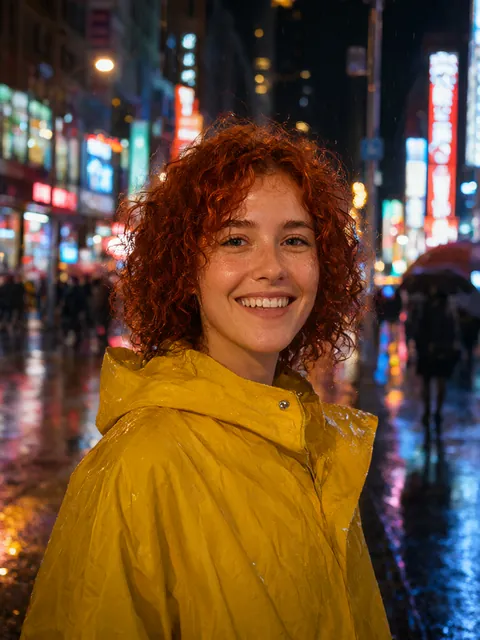
One picture and one sentence. The video starts on the picture and keeps the person.
How it works in three steps
- Open the video workspace. Choose to start from a picture and upload it.
- Describe the movement. One or two sentences: who or what moves, what they do, and how the camera behaves.
- Pick the length and create. Watch the result, then download it or try again with a clearer sentence.
Which pictures work
Upright 9:16 pictures fit a TikTok frame as they are. A picture with another shape is cropped around its middle to fit the frame, so keep the main subject near the centre. A sharp picture with one clear subject is the easiest start.
How to describe movement
Name the subject, the action and the camera: “She turns her head and smiles, the camera slowly moves closer.” Keep to one main action for a short clip. If something should not change, say so: “the background stays the same”. Results are generated and can differ from what you wrote, so watch the whole clip before you post it.
Example sentences
A portrait: “She looks into the camera, smiles and brushes her hair back while a light wind moves it.” A product: “The camera circles slowly around the bottle and reflections move over the glass.” A landscape: “Clouds drift over the mountains and the camera glides forward over the lake.” A pet: “The dog tilts its head, then runs towards the camera.”
Each example has one subject, one action and one camera move. That is enough for a short clip, and it leaves less room for surprises than a long list of events.
Picture, words or reference pictures
The Studio can start a video from words only, from one picture, or from your own reference pictures. Starting from a picture is the best choice when the look has to be exact: a face, an outfit, a product or a drawing style. The first moment of the video is your picture, so the character, the colours and the place are set before anything moves, and your sentence only has to describe the movement.
Starting from words is quicker when you have no picture yet. You can also make the picture first with the free image generator, correct it with Edit mode until it is right, and then use it as the start of the video.
Sound, format and plan
Videos are short clips in the upright TikTok format and come with sound. You pick the length in the Studio before you create. Videos are part of the Studio plan, and new members start with 7 days free. Pictures are free to make for signed-in accounts, so you can create the first picture in the Studio too.
After the video is made
The finished video appears in your account history, where you can watch it again and download it. If the movement is not what you wanted, keep the same picture and change the sentence: a different verb or a calmer camera often makes the difference.
Questions and answers
Is image to video free?
Videos are part of the Studio plan, and new members start with 7 days free. Making pictures is free for signed-in accounts.
How long are the videos?
They are short clips made for TikTok. You pick the length in the Studio before you create.
Does the video have sound?
Yes. The video is made with sound.
Can I use my own photo?
Yes. Upload a picture that you have the right to use.
What if my picture is not vertical?
It is cropped around its middle to fit the video frame, so keep the main subject near the centre.
Related tools
No picture yet? Make one free with the AI image generator. Read about the AI video generator for TikTok, replace a person in a clip with AI Character Swap, or follow the guide to making AI videos for TikTok.
Coming from another app? See the Sora alternative and the Grok Imagine alternative, or read why every video has sound. All the comparisons are on the alternatives page.