AiTiktok Studio · AI video
AI Video Generator for TikTok
Write one sentence or upload a photo, and AiTiktok Studio makes a vertical video with sound, ready to post on TikTok. There is no timeline to learn: describe the scene, choose the length and watch the result in your account.
New members get 7 days free
Three ways to make a video
From a sentence
Describe the subject, the action, the place and the camera. The Studio turns it into a short vertical clip.
From a photo
Upload a picture and say how it should move. The video starts on your picture. See image to video.
With your own character
Upload one character picture and a 2 to 60 second video, and Character Swap replaces the person. See Character Swap.
From a photo to a video
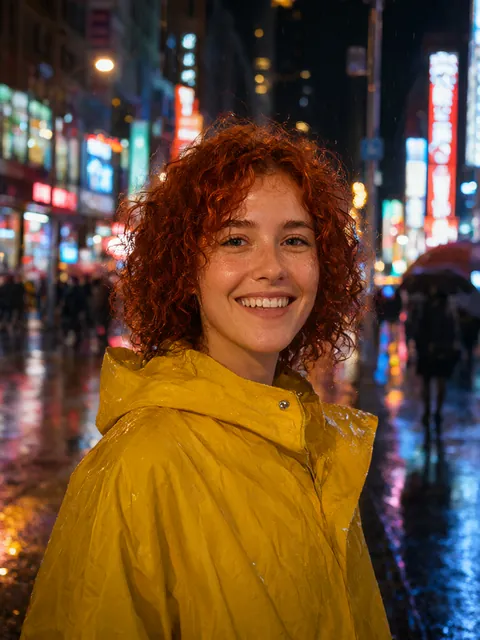
Start from a picture and describe the movement. The video begins on your picture.
How it works
- Open the Studio and choose Video. Sign in with your account; it takes a few seconds.
- Write your scene or add your photo. One subject, one action, one place is enough for a strong clip.
- Choose the length and the engine. The Studio shows the lengths and engines your plan includes.
- Create, watch and download. The finished video appears in your account history, ready to post.
Write a prompt that moves
Name one subject and one visible action, then add the place, the light and one camera move such as a slow push-in, a side tracking shot or a still wide shot. Keep the main action in the middle of the frame so it reads well on a phone. If the first result is close, change one thing and create again instead of rewriting everything.
Three prompts to start from:
- A paper boat drifts through a rain puddle on a city sidewalk, low tracking camera, warm shop-light reflections.
- A woman in a red coat turns to the camera and smiles on a snowy street at night, slow push-in.
- A tiny astronaut explores a glowing kitchen at night, filmed like a dramatic movie trailer.
More ideas, with the reasons they work, are in the guide to making AI videos for TikTok.
Sound, format and history
Every video comes with sound. Videos are vertical, in the 9:16 shape that fills a phone screen and a TikTok feed. Each finished video is saved in your account history, where you can watch it again and download it whenever you want. Pictures you make in the Studio can become the first frame of a video, so you can design the look first and animate it after.
Plans and free trial
Studio plan
Unlimited videos. New members get 7 days free, then $19.50 for the first month and $39/month after that. Save 10% with annual billing.
Credits
Prefer to pay per video? Videos start from 100 credits. Packs: $10 for 1,333 credits, $25 for 3,600 credits and $50 for 10,000 credits.
Free pictures
Making pictures is free for signed-in accounts, with no card needed. Try the AI image generator.
Questions and answers
Is there a free trial?
Yes. New members get 7 days free on the Studio plan, then $19.50 for the first month.
Do the videos have sound?
Yes. Every video is made with sound.
Can I make a video from my own photo?
Yes. Upload the photo and describe the movement; the video starts on your picture.
Can I put myself in a video?
Yes, with Character Swap: one photo of you and one video between 2 and 60 seconds.
How long does a video take?
A few minutes for a short clip, longer for a long one. The Studio shows the progress, and the video is saved in your history when it is ready.
Do I need to install an app?
No. AiTiktok Studio runs in the browser on a phone or a computer.
Make your first video
Open the Studio, write one sentence and watch it come to life. New members get 7 days free.
Related tools: image to video, AI Character Swap, AI image generator, AI photo editor and AI pose changer. More: AI videos with sound, the unlimited AI video generator, a Sora alternative, a Grok Imagine alternative and more alternatives.